Aruba Instant On Wireless Access Points and Instant On Network Switches are network devices designed to help small businesses deploy fast, secure, & reliable wireless connectivity in just a few minutes. Put another way, administrators can manage Instant On networks from anywhere with ease and trust that the latest security intelligence protects their networks around the clock.
Aruba Instant On takes advantage of Smart Mesh Wi-Fi to provide reliable wireless performance with built-in router functionality. On top of that, check out these other attractive benefits of Instant On:
Multi-Site Management allowing administrators to easily secure and maintain multiple networks under one platform
Site Inventory features that make it easy to see all the switches, access points, and other devices on your network at a glance
Application Visibility and Control to ensure bandwidth is always routed to your most important services
Easy Guest Access to connect customers and visitors
Enterprise-Grade WiFi that smoothly hands off connected devices between access points
How Does Aruba Instant On Work?
An Aruba Instant On AP acts as a network router as well. In short, this means plugging in directly to the Internet right out of the box allows network setup to begin immediately.
Aruba Instant On devices require no licenses, subscriptions, renewals, or prepaid contracts. In other words, Instant On APs and network switches include all needed software and services, right out of the box.
How Do I Set Up Aruba Instant On?
Deploying and configuring an Instant On AP or Switch is as easy as downloading the Instant On smartphone app. The mobile app provides guided setup and plug-n-play deployment. So no experts required.
Need to set up wireless access in an especially tricky location like an outdoor stadium or campus? The Aruba Instant On AP17 includes a ruggedized chassis that withstands the wear and tear of an outdoor deployment.
How to Manage Instant On
Remember that mobile app for network set up? Use the same Instant On application to remotely manage, monitor, and edit network settings from anywhere, any time. Prefer working on the big screen? The web-based portal.arubainstanton.com shares all the same great features as the Instant On app, but on a browser.
From the app or web portal, you’ll be able to restrict resource allocation to stop bandwidth hogs, block unwanted clients, and easily create separate networks for guests and employees.
Are Aruba Appliances Expensive?
Surely something with this many positives must have a big drawback, right? Well, it’s not going to be the price-point. Instant On access points are competitively priced to meet the needs of lean budgets and small offices.
Wifi 6 refers to the latest generation of wireless technology, also known as 802.11ax. Another name for this new standard is High Efficiency Wifi. It replaces 802.11ac, which now goes by Wifi 5. Wireless access points and routers incorporating the technology are increasingly ubiquitous. And many new smartphones, tablets, laptops, and other connected devices are Wifi 6-certified to take full advantage of its performance capabilities.
How Is Wifi 6 Different Than Wifi 5
Wifi 6 offers several advantages over Wifi 5 when it comes to speed, performance, and even security. First, speed – often referred to as throughput – can max out around 10 Gbps for a Wifi 6 device, compared to 7 Gbps for Wifi 5. While that’s an obvious upgrade, performance accounts for a significantly greater boost – some 400% in what’s called throughput per area.
What does that mean? It means more devices can connect in high-density areas with low to no latency. In other words, it’s real-world speed. Finally, security is better, too, as Wifi 6 supports WPA3 encryption standards, the most secure version of Wifi Protected Access protocol.
Why Upgrade to Wifi 6
While manufacturers seem to release new access points and routers constantly, an upgrade from a prior generation model to Wifi 6 is worth strong consideration. Wifi 6 supports more connected devices at greater speeds with better security than its predecessors. And the differences are significant. To recap:
Top speed more than a third better than the previous best
Throughput per area is 4 times better
And latency is 75% lower
These all represent major leaps in performance, and along with security improvements, make a strong argument for upgrading.
Which Brands Already Carry Wifi 6 Access Points
Several brands now offer Wifi 6 access points, with more on the way. Firewalls.com carries Wifi 6 access points from Fortinet, Aruba, Ruckus, and Cisco Meraki. Models range from small business/small office options to large enterprise and even stadiums and arenas. This generation of access points comes with indoor and outdoor options as well.
What Are The Recommended Wifi 6 Access Point Models
With the growing number of Wifi 6 access points now on the market, finding the right fit for a given scenario can be a challenge. So to meet that challenge and sift through the clutter, here are a few recommended Wifi 6 access points to suit varying business needs.
For Easy Deployment
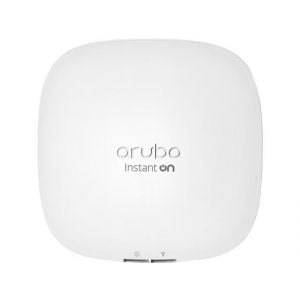
Aruba Instant On AP22
It doesn’t get much easier than instant, does it? The Aruba Instant On AP22 offers a quick way into the Wifi 6 world. As its name suggests, you can basically turn it on and have wireless ready to go. This is ideal for a small business with limited staff or small branch office scenario.
And while the ease of deployment is nice, the AP22 also comes packed full of features at an affordable price. It includes mounting hardware, simple management tools, and even built-in security features like firewalling and application control, with no need for external controllers.
Tech Specs
Deployment:Indoor
Performance:2×2:2 MU-MIMO
Mesh Support:Smart Mesh Wi-Fi
Throughput:1.774 Gbps
PoE: PoE 802.3af
For Network Integration
Fortinet FortiAP 231F
Chances are if you’re a small to mid-size business, you already have a firewall. Maybe you even have a switch and endpoint, too. And if those solutions happen to be from one of the top security vendors out there, Fortinet, then this FortiAP 231F is a good pick for your entrée into Wifi 6.
The FortiAP 231F places you firmly into the Fortinet Security Fabric, which allows all your Fortinet solutions to communicate seamlessly with one another with single-pane-of-glass management. As far as what this access point offers specifically, it includes built-in security and a third radio for beacon and location-scanning. It can also optionally be managed through the cloud and is more than capable outside the Fortinet ecosystem as well.
Tech Specs
Deployment:Indoor
Performance:2×2:2 MU-MIMO
Mesh Support:Yes
Throughput:1.2 Gbps
PoE: PoE+ 802.3at
Look to the Cloud
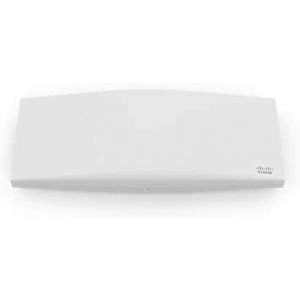
Cisco Meraki MR44
Cisco Meraki is pretty well-known as a pioneer in the cloud space, and you can be a pioneer both there and in Wifi 6 by choosing the MR44 access point. The MR44 comes with Meraki’s noted cloud management architecture, which eliminates the need for traditional wireless controllers. It also offers zero-touch deployment, easy visibility and control throughout the network, and seamless firmware updates.
The MR44 itself is an enterprise grade access point, so if your performance demands are a little higher, it’s a great fit. As with other APs noted in this piece, Meraki’s MR Series features built-in security, plus a dedicated extra radio. And if you’re already a Meraki customer for other solutions, it integrates especially nicely.
Tech Specs
Deployment:Indoor
Performance:4×4:4 MU-MIMO
Mesh Support:Self-healing, Zero-configuration
Throughput:3 Gbps
PoE: PoE+ 802.3af/at
Let’s Take It Outside
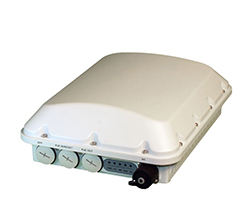
Ruckus T750
Our previous three access points were designed for indoor deployments, but this AP from Ruckus doesn’t care where you set it up. The T750 offers the performance of Wifi 6 with IP-67 durability to withstand rough conditions, indoors or outdoors. When it comes to deployment options, think stadiums, airports, convention centers, and the like. Each individual T750 can handle over 1,000 users at once.
Ruckus offers the T750 in the controller-less Unleashed model as well as the traditional ZoneFlex option. Both are easy to deploy and manage. And they boast other special features, like built-in IoT radios, BeamFlex antennas to optimize connectivity, and the security of the aforementioned WPA3.
Tech Specs
Deployment:Outdoor
Performance:4×4:4 MU-MIMO
Mesh Support:SmartMesh
Throughput:2.4 Gbps
PoE: PoE++ 802.3bt
So these are just a few examples to help you navigate the wonderful world of Wifi 6. But wait, there’s more! Browse all the Wifi 6 options Firewalls.com has to offer. And if you need to talk it through a bit more, chat with an expert on our site or call 866-645-2140.
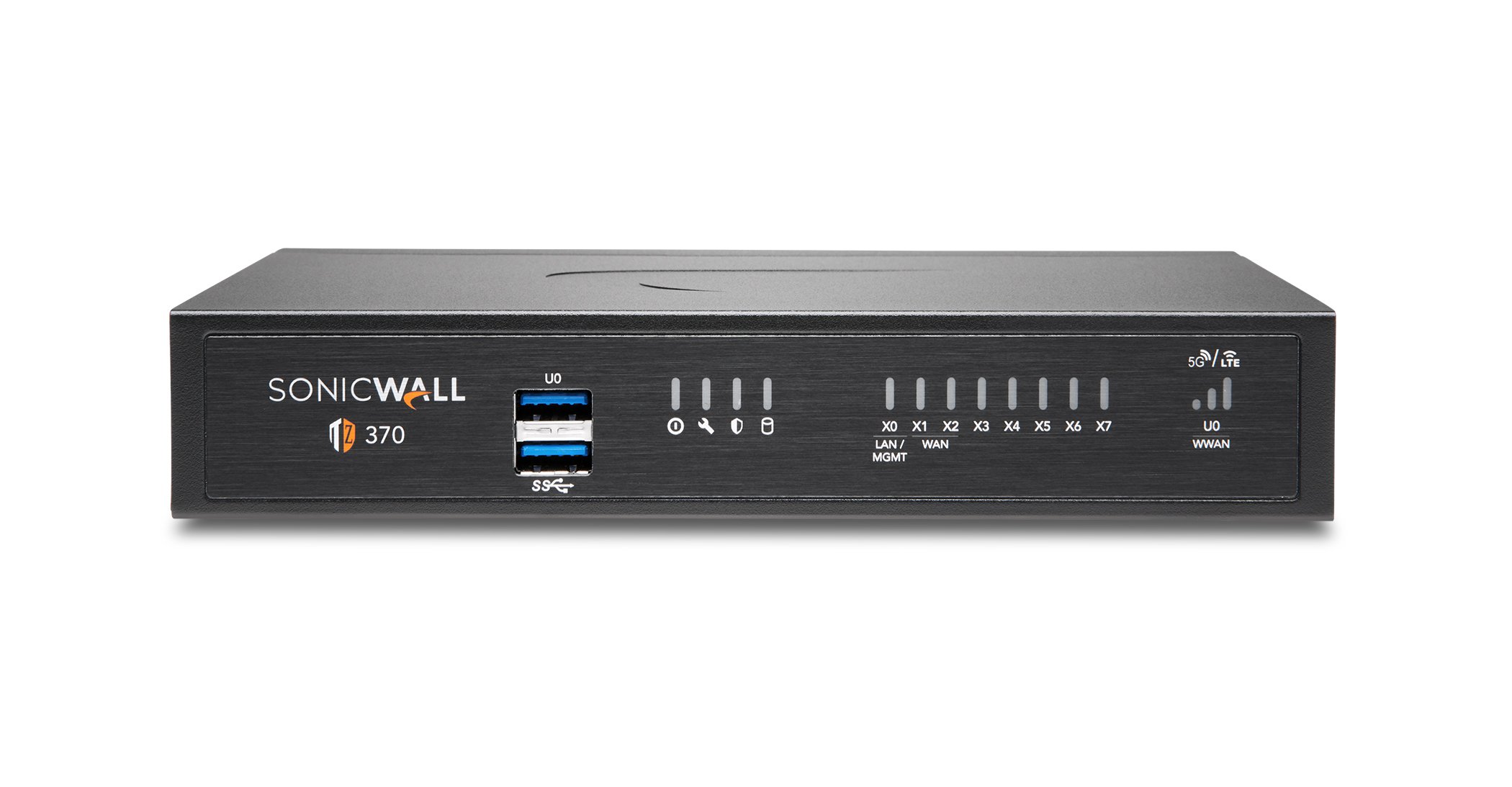
The SonicWall TZ370 is among a group of new firewalls with a 7 in their model number released in 2020. So why do they share that lucky number? Because they run on SonicWall’s latest operating system, SonicOS 7.0. And that means they can handle all the latest and greatest security and networking features you can think of. The TZ300 was one of SonicWall’s most popular small business firewalls, and the TZ350 has been a worthy successor. With that said, why is the TZ370 even better than its predecessors? Read on for a look at the features and benefits of this firewall in our SonicWall TZ370 review.
Are SonicWall Firewalls Any Good?
Originally founded in 1991, what is now known as SonicWall released its first small business firewall more than 20 years ago. And the company has been a leader in the network security space ever since. Numerous third party organizations recognize SonicWall as a one of the top cybersecurity companies in the game, and its feature-rich, high-performance firewalls back that position up. Gen 7 firewalls offer top-notch throughput with excellent connectivity options for small business to enterprise deployments.
SonicWall’s security & networking features available through these firewalls are among the best out there as well. They include:
Capture ATP sandboxing and its Real Time Deep Memory Inspection (RTDMI)
Reassembly Free Deep Packet Inspection (RFDPI) – offering security analysis of all traffic in real-time
TLS 1.3 support to inspect encrypted traffic
Integrated Secure SD-WAN
High-speed VPN
Zero-touch deployment
Single-pane-of-glass cloud management
24×7 Support
Those features are on top of the other services you’d expect, like antivirus, antispyware, content filtering, and antispam to name a few. Now back to our TZ370 review.
What Businesses Would Be A Good Fit For The SonicWall TZ370?
The TZ370 works best for small business and small branch office deployments. That goes along with a recommended user count of up to 25, meaning it can comfortably secure a typical smaller office environment. On top of that, zero-touch deployment allows businesses to have this firewall up and running in no time. As small businesses and branches typically don’t have IT staff or expertise, this is a valuable tool. Adding to that flexibility, for those looking at adding WiFi, the available TZ370W serves as a Wave 2 wireless access point as well.
The security and connectivity features mentioned above simply weren’t available a few years ago on a desktop device – as the TZ370 is. Additionally, with ever increasing speeds offered by internet providers, an older device means small businesses are most likely paying for a connection speed the firewall can’t support. We’ll get to just how fast the TZ370 is in a moment. But in short, it supports gig speeds even with security services turned on. Those older devices in its class don’t come close. So if your business has a previous generation firewall, whether TZ or otherwise, it’s time to take a look at upgrading. Need more reasons why? Let’s dive into its tech specs as we continue this SonicWall TZ370 review.
The SonicWall TZ370 retails for under $700 as a standalone appliance, with the wireless TZ370W about $100 more. That places the TZ370 among the leaders in price to performance in the desktop firewall class. To take full advantage of its security, connectivity, & management features, choose a services bundle. TotalSecure Advanced Edition covers all the bases, with the less comprehensive Essential and Threat Editions also available.
SonicWall security bundles come in one, three, and five year subscription options. And because we mentioned upgrading from an older firewall, note that you may qualify for special pricing under SonicWall’s Secure Upgrade program. Visit our site or talk to an expert at 866-645-2140 to learn how to get a TZ370 for your network.
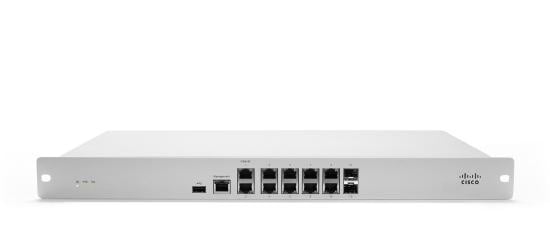
The Cisco Meraki MX84 is, as the company would say, a security and SD-WAN appliance. In short, the MX84 is a firewall. And it’s a firewall meant for mid-sized businesses that need to easily and securely connect branches to HQ. We know IT professionals are hard to come by these days, so the simplicity of getting these appliances up and running is a major asset. On top of that, the MX84 boasts a variety of state-of-the-art features that make breaches anything but. Read on as we review the features and benefits of the Cisco Meraki MX84.
Is Cisco Meraki Any Good?
Cisco Meraki is a leading network security brand that gets high marks from independent third party evaluations – and customers – for its security and SD-WAN offerings. So what is it known for? Simplicity. Meraki embraced cloud computing before the cloud was cool. That is to say, easy, single-pane-of-glass management is kinda their thing.
So with Meraki, expect zero-touch (AKA remote) deployment of highly effective security solutions, all managed through the cloud. In other words, admins can adjust security settings of literally thousands of sites all at once, from anywhere. And don’t forget the connectivity! Auto VPN technology connects branch offices in just 3 clicks, through a simple, web-based dashboard.
What Businesses Would Be A Good Fit For the Meraki MX84?
Meraki recommends the MX84 for distributed deployments that require remote administration across medium branch environments. Industries like retail, restaurants, real estate, construction, or even healthcare, schools, and governments may apply.
To clarify, think of a business with multiple offices or project sites but limited IT staff. One or two admins can setup and manage a few – or a few dozen – of these appliances. They’ll offer network protection and secure connectivity without spending hours and miles on deployment. In sum, there are a lot of businesses and organizations that could benefit from the Meraki MX84. And FYI, Firewalls.com recommends the MX84 for deployments of up to 100 users.
What are some of the security features you’ll find?
The Meraki MX84 retails for under $2,000 as a standalone appliance. As a reminder, all Cisco Meraki appliances require an active license to operate. Therefore, you can choose an Advanced Security License to get the full feature set listed above. Or pick an Enterprise license if you’re less concerned about those advanced features. Both come in 1, 3, 5, 7, & 10 year options. Visit our site or talk to an expert at 866-645-2140 to learn more.
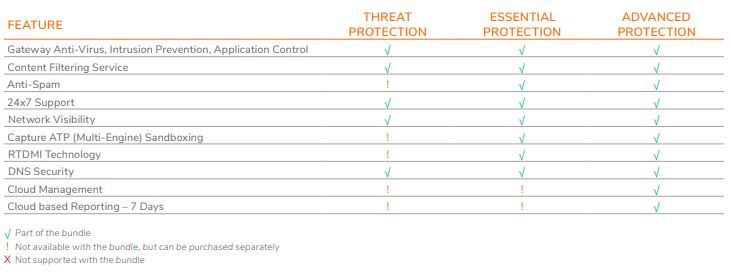
SonicWall Threat Protection (aka; SonicWall TotalSecure – Threat Edition) extends enterprise-grade security to small businesses and branch offices – and even home offices – by enabling advanced security, visibility, and content filtering. With the release of SonicWall’s Generation 7.0 TZ firewalls and the SonicOS 7 operating system, even desktop firewalls are able to deploy advanced security services. These new models feature modernized user interfaces, integrated SD-WAN, and network topography in several new TotalSecure suites.
Bundle your new hardware with the basic Threat Protection suite, the Essential Protection suite, or the Advanced Protection suite to make the most out of your security investment. This article cracks open the most modest of these new TotalSecure bundles to examine what services are included in the SonicWall Threat Protection suite.
SonicWall Threat Protection Suite
The SonicWall Threat Protection suite (available in the TotalSecure – Threat Edition bundle) includes:
Gateway Anti-Virus & Anti-Spyware
Stop viruses and spyware with real-time scanning and multi-layered protection through the Reassembly Free Deep Packet Inspection (RFDPI) engine. The RFDPI engine scans all inbound, outbound, and intra-zone traffic for viruses, Trojans, key loggers, and other malware in files of unlimited length and size across all ports and TCP streams. Block advanced threats with machine learning and a worldwide network of security sensors that are constantly updating a cloud database of millions of threat signatures. On top of that, SonicWall Capture Client uses static AI engines to determine threats before they have an opportunity to execute.
Intrusion Prevention Service
Prevent outside threat actors from setting foot in your network! SonicWall IPS blocks malicious worms and remote code execution. It also bolsters your security by segmenting networks into individual security zones to stop threats from propagating across zone boundaries.
Content Filtering
Want to block Netflix, Facebook, YouTube, and gaming sites from your network? Deny access to illegal, unproductive, and/or inappropriate sites by filtering content based on users, devices, groups, or time of day. Enforce acceptable use policies and block access to both HTTP and HTTPS websites containing content deemed objectionable.
24×7 SonicWall Support
Ensure you’re always armed with the latest firmware updates. Plus, get unfettered access to an intuitive web portal for round-the-clock support from the SonicWall team.
Basic DNS Security
Provide authentication for the origin of Domain Name Service (DNS) data to safeguard against dangerous web content. Basic DNS protection adds a substantial layer of defense between your employees and the public Internet.
Network Topology with Host Info
Increased visibility lets network administrators monitor and control traffic at a granular level, leaving no doubt about whether your network is secure. Display hosts, access-points connected in a user’s network based on device name, mac addresses, IP addresses, and more.
Which Firewalls Offer SonicWall Threat Protection?
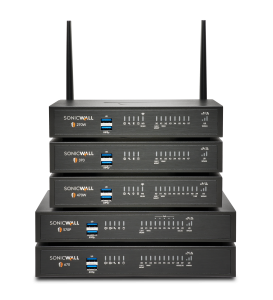
SonicWall TotalSecure Threat Protection rolled out with SonicOS 7 and, as such, is only supported on Gen 7 SonicWall firewalls. This generation includes the SonicWall TZ270,TZ370, TZ470, TZ570, TZ670, and SonicWall NSa 2700. However, the basic Threat Protection bundle is only available on the TZ270, TZ370, & TZ470.